Custom CRM · Automotive
Keera, the custom CRM built for Vitrage Pro
A CRM built from scratch for Vitrage Pro, an automotive business: quotes and invoices, built-in signing, payment tracking, and files sent straight to insurers through an API.
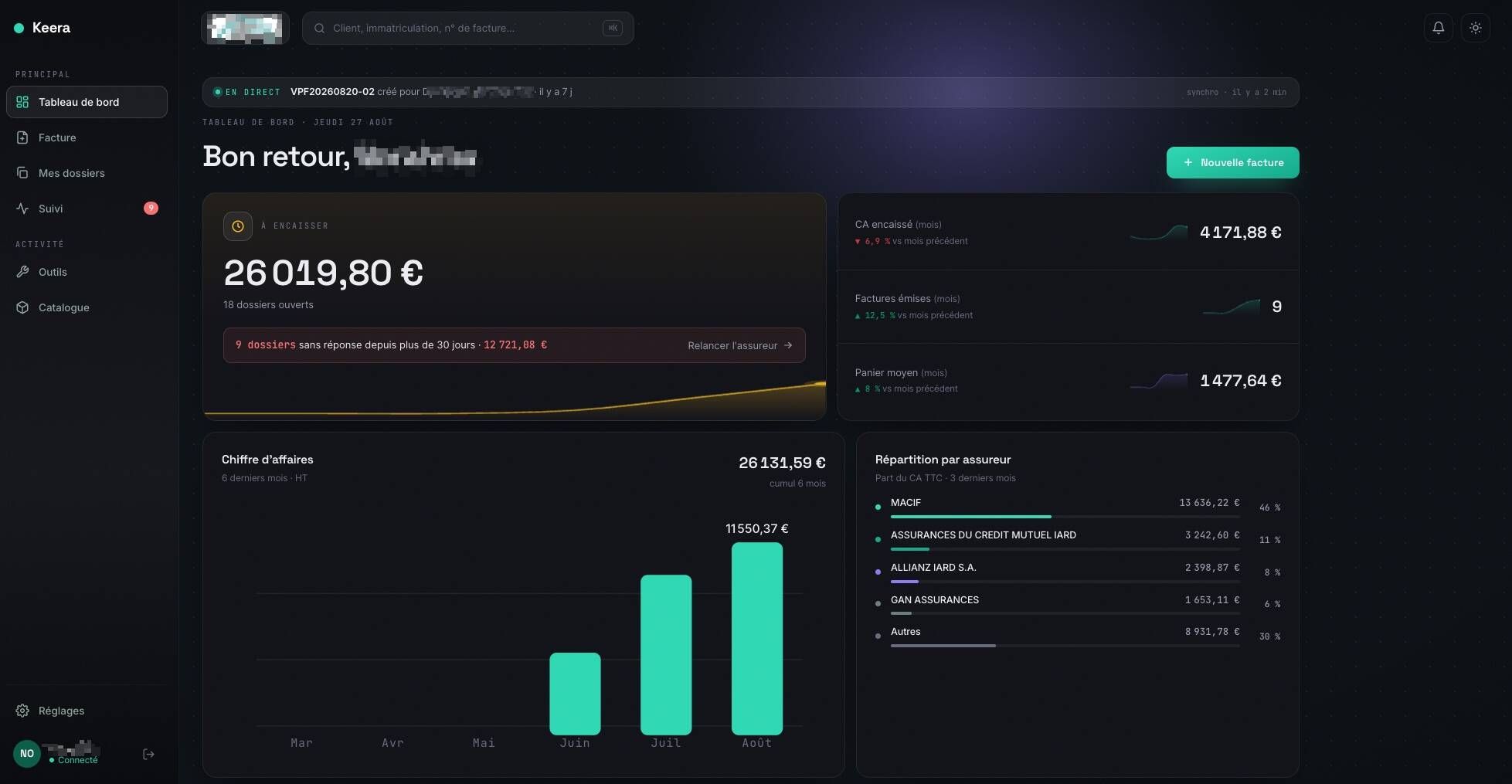
01Context
An activity split across several tools.
Every piece of information existed, but never in the same place.
Vitrage Pro works in the automotive sector, where every job involves a customer, a vehicle and very often an insurer. Before Keera, quotes, invoices, signatures and insurance files lived in different tools.
The result: retyping, files that were hard to follow and payment reminders that slipped through. The need was easy to state: see everything in one place, and send files without effort.
- Client
- Vitrage Pro
- Industry
- Automotive
- Project
- Custom CRM
- Connection
- Insurer API
02Before / after
From a patchwork of tools to a single screen.
What changes day to day:
The table compares daily work before and after Keera. Each line is a task the team used to do by hand, in a separate tool, and now does on a single screen.
| Before | With Keera | |
|---|---|---|
| Quotes and invoices | Separate software | Created and sent from Keera |
| Signature | Paper or email | Built-in signing, automatic return |
| Insurance | File sent by hand | Direct sending, through an API |
| Reminders | Tracked by hand | Payment tracking |
03Solution
From quote to signature, without leaving Keera.
The garage creates a quote or an invoice, sends it to the customer, and the signature happens right inside the tool.
Customer and vehicle details are entered once, then reused automatically in every quote and invoice. The customer receives the document, signs it from a phone or a computer, and the signed document comes back into the file on its own.
- 1Quote or invoice
- 2Sent to the customer
- 3Built-in signing
- 4Back in Keera
- 5Sent to the insurer
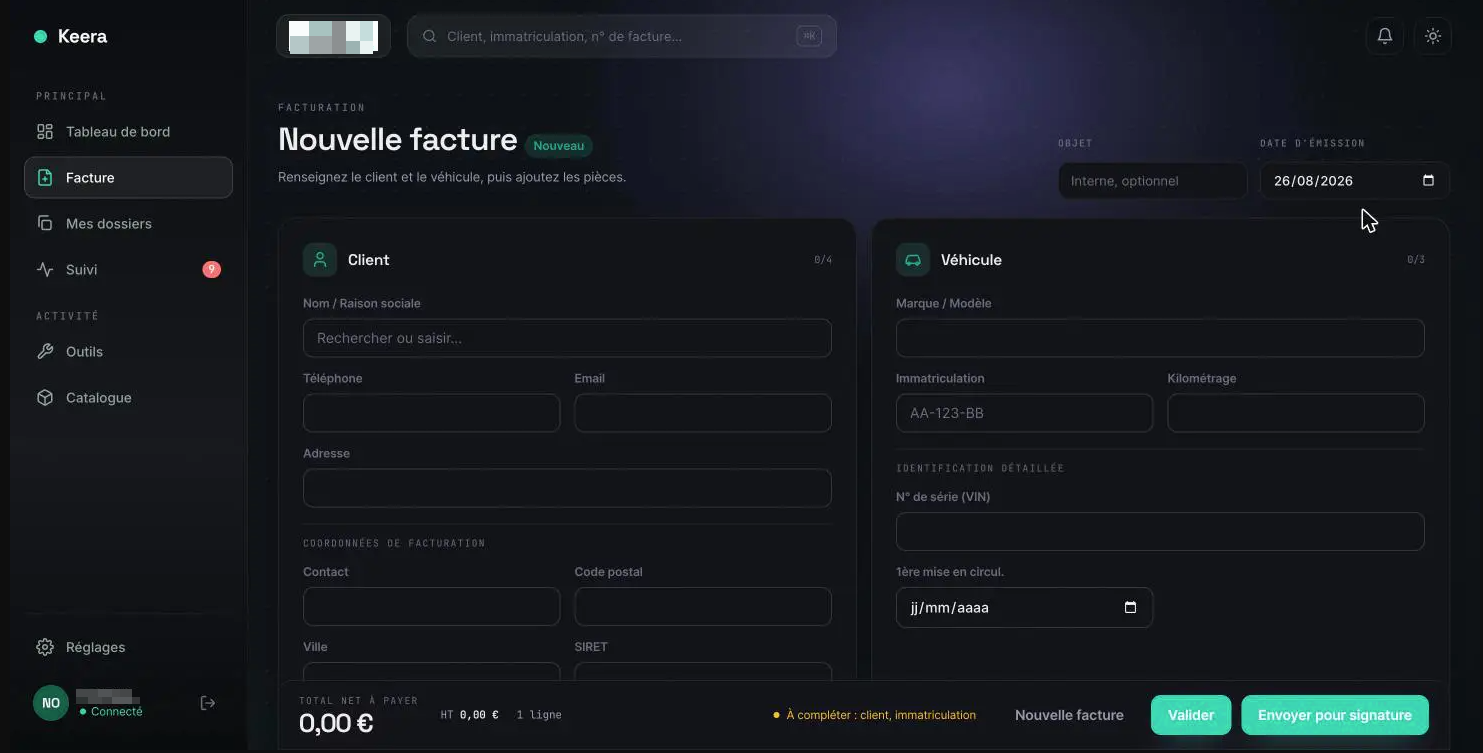
04Insurer connection
A signed file goes straight to the insurer.
Once the document is signed, it returns to Keera, and the garage sends it to the insurer in one click. Keera is connected to insurers through an API: no attachments, no retyping.
This connection is the heart of the project. Where each sending used to need an attachment, an email and sometimes a call to check it arrived, the file now leaves in one click and its status stays visible at all times: to sign, sent to the insurer, paid.
- Connected by APIThe file goes straight to the insurer.
- Time savedNo retyping, no manual sending.
- File trackingTo sign, sent to the insurer, paid.
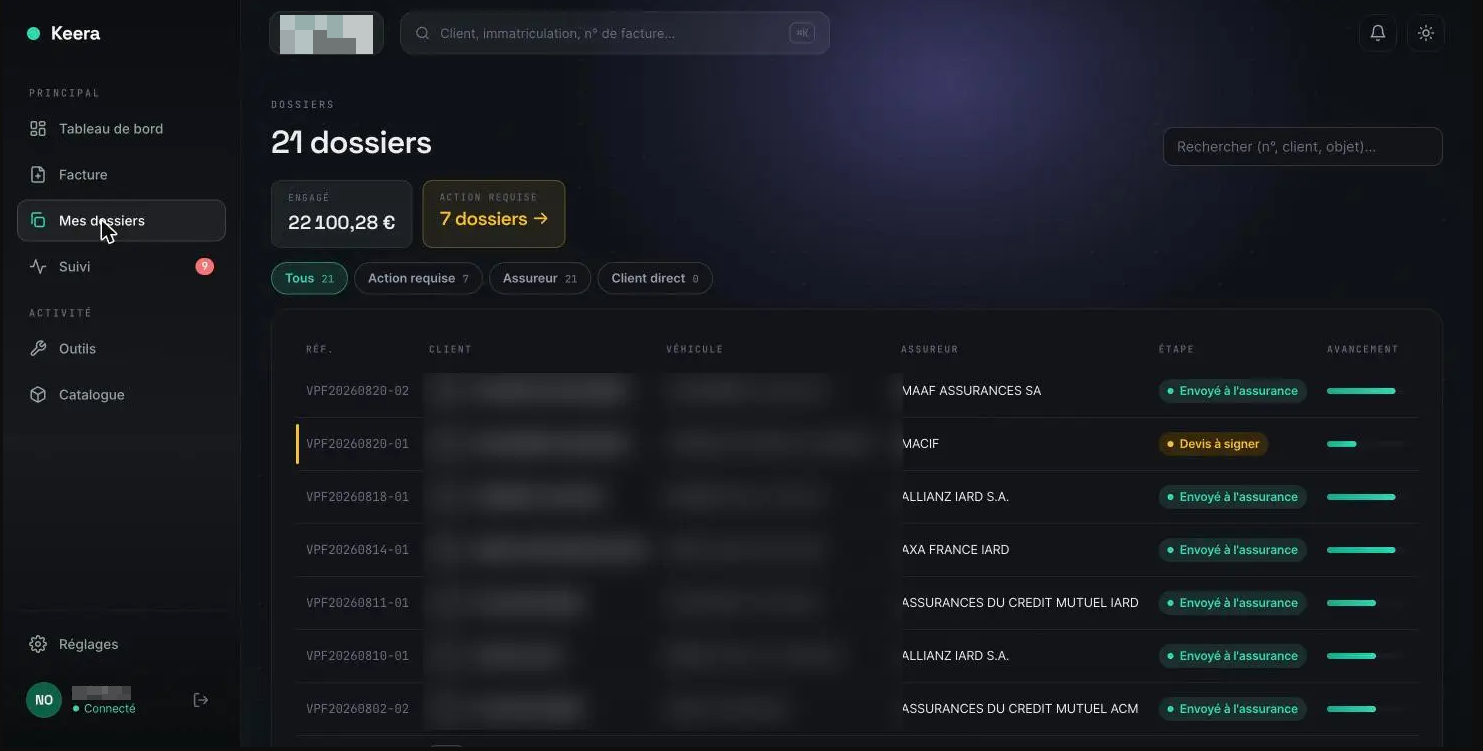
05Results
One tool, connected to the insurer.
Less typing, files sent faster, and a new need is added without changing software.
The team finds a customer’s history in seconds, sees what is left to collect and no longer misses a reminder. Keera shows what custom software brings to a small business: a tool shaped exactly like its trade, instead of generic software that has to be worked around.